Last updated: November 3, 2026
ChatGPT plans and prices
| Plan | Monthly price (USD) | Who it is for |
|---|---|---|
| Free | $0 | Trying ChatGPT and quick tasks |
| Go | $8 | Light use |
| Plus | $20 | Regular personal use, a few focused coding sessions a week |
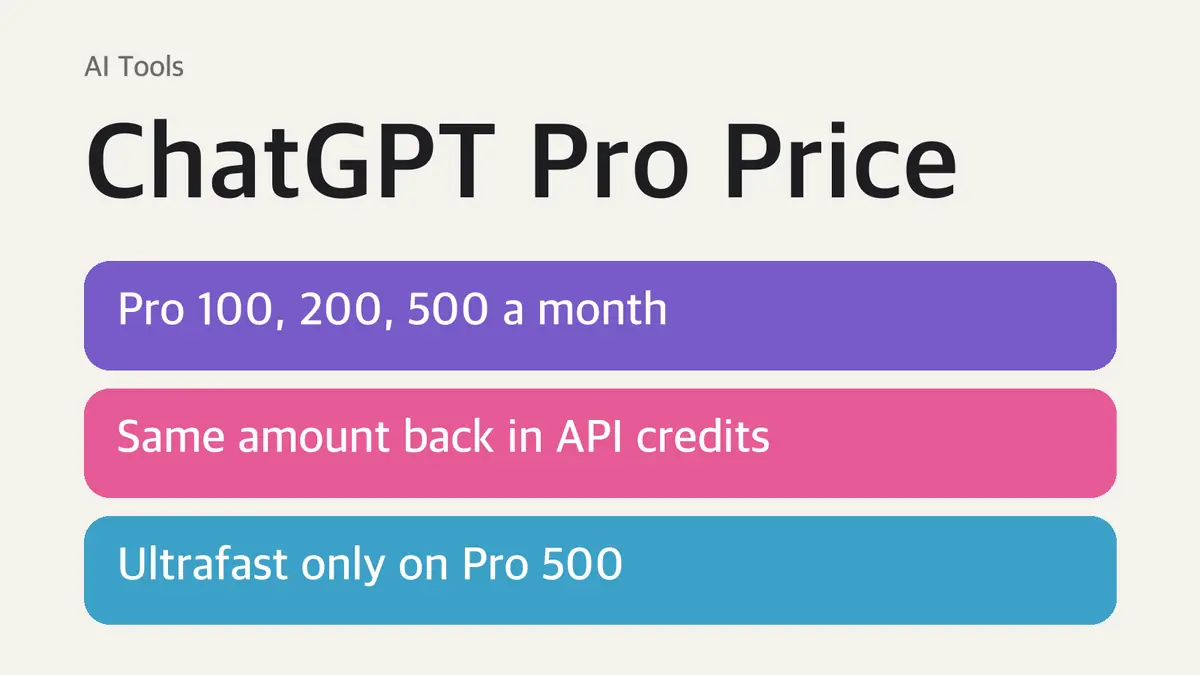
| Pro 100 | $100 | Heavy daily use of Pro models, Work and Codex |
| Pro 200 | $200 | More usage than Pro 100 |
| Pro 500 | $500 | The highest usage, plus Ultrafast mode |
| Business | $25 per user ($20 billed annually), 2+ users | Teams |
Pro includes everything in Plus, plus Pro models, Codex, deep research, image creation, memory and file uploads, with higher limits.
Pro 100 vs. Pro 200 vs. Pro 500
| Pro 100 | Pro 200 | Pro 500 | |
|---|---|---|---|
| Price | $100/month | $200/month | $500/month |
| Included usage | Base Pro level | More than Pro 100 | Highest of the three |
| Ultrafast mode | No | No | Yes |
| Monthly API credits | $100 | $200 | $500 |
What Ultrafast costs in usage: on Pro 500, Ultrafast versions of GPT-6 Astra and GPT-6.1 Sol use your included allowance at 8× the Standard rate, then paid credits at 6×. Buying credits on Pro 100 or Pro 200 does not unlock Ultrafast. The regular Fast mode uses included limits at 2.5×.
Recent changes:
- Pro 100 and Pro 500 now get twice their previous Work and Codex allowance.
- A planned cut to Pro 200 was canceled. Pro 200 subscribers on the lower allowance were raised to match the higher one, and Pro 200 is open to new subscribers again.
- Plus usage did not change.
OpenAI notes that unlimited access on Pro is subject to abuse guardrails, and that weekly limits may still apply.
How the free API credits work
This is the biggest change to the Pro value math. If you also build with OpenAI's API, Pro now returns its price as API credits:
| Subscription | Monthly API credits |
|---|---|
| Pro ($100 tier) | $100 |
| Pro ($200 tier) | $200 |
| Pro ($500 tier) | $500 |
| Business Standard | $20 per paid seat |
| Business Premium | $100 per paid seat |
Business credits are pooled and capped at $500 per workspace per month.
Rules to know before you count on them:
- Your paid Pro subscription must be at least 7 days old. Free trials and complimentary subscriptions do not qualify.
- You must own both the ChatGPT subscription and the API organization, using the same email address.
- Credits expire at the end of each billing cycle and do not roll over. The first grant is prorated.
- They cover API Platform usage such as the Responses API, Agents API, Realtime API, Images API and built-in tools like web search.
- They do not cover Codex used with an API key, and they do not raise your ChatGPT or Codex usage limits.
- If you drop to Plus, Go or Free, the link to your API organization is removed at the end of the billing cycle. Enterprise plans are not eligible.
How to claim: in ChatGPT, open Settings > Billing, find the API credits benefit, pick the API organization that should receive them and confirm. You can also start from Billing in the API Platform. After that, credits arrive automatically when your subscription renews.
When the free credits run out, purchased credits are used next. With none left, API requests fail with an HTTP 429 `credit_balance_exhausted` error.
Which ChatGPT plan should you pick?
- Plus ($20) if you hit limits only now and then. Most personal users never need more.
- Pro 100 if you hit Plus limits every week in Codex or Work, or you already spend about $100 a month on the API. With the credits, the subscription is close to free for API users.
- Pro 200 if Pro 100 limits run out before the week ends.
- Pro 500 only if you need Ultrafast speed or the highest allowance. For most people, it is not worth the jump.
Prices above are in US dollars, and taxes may apply.
Sources
- OpenAI: ChatGPT and Codex pricing
- OpenAI Help Center: About ChatGPT Pro tiers
- OpenAI: API credits for ChatGPT subscribers
Prices and limits are as of November 3, 2026. OpenAI changes plans often, so confirm on the pricing page before you subscribe.