Last updated: November 15, 2026
How many watts does your laptop need?
The most reliable number is the wattage of the adapter that came in the box. Here is what the makers list for current models.
| Laptop | Adapter in the box | Notes from the maker |
|---|---|---|
| MacBook Air 13-inch and 15-inch (M5) | 40W Dynamic Power Adapter with 60W Max | Fast charges with a 70W or higher USB PD source |
| 14-inch MacBook Pro (M6) | 70W | Minimum recommended: 60W; fast charges at 96W or higher |
| 14-inch MacBook Pro (M5 Pro, M5 Max) | 70W or 96W, by configuration | Minimum recommended: 70W |
| 16-inch MacBook Pro (M5 Pro, M5 Max) | 140W | Minimum recommended: 94W; fast charges at 140W or higher |
| Galaxy Book6 | 45W | Samsung comparison page |
| Galaxy Book6 Pro (14-inch and 16-inch) | 65W | Samsung comparison page |
| Galaxy Book6 Ultra | 100W (integrated graphics) or 140W (discrete graphics) | Samsung comparison page |
| LG gram 16 | 65W | Ships with a 3A USB-C cable |
Apple figures come from Apple's US tech specs pages, Samsung figures from Samsung's Galaxy Book6 comparison page, and the LG figure from LG's spec sheet for a 16-inch gram. Configurations and boxes can vary by region.
If your laptop isn't listed, read the Output line on the original adapter and multiply volts by amps. 20V × 3.25A = 65W.
On a Mac, you can also see what a connected charger provides: hold the Option key, choose Apple menu > System Information, select Power, and look under AC Charger Information.
A bigger charger is fine, a smaller one is a compromise
Going higher is safe. Apple says a USB-C Mac can charge from any USB-C power adapter or display that supports USB PD, even if it provides higher or lower wattage than the recommended adapter. USB PD works by negotiation: each device takes only the power it requires, so a 100W charger won't push 100W into a laptop that asks for 65W.
Going lower works, but with limits:
| Maker | What happens with a lower-wattage charger |
|---|---|
| Apple | The Mac still charges. If the wattage is too low, macOS Tahoe 26.4 or later shows "Slow Charger" in the battery menu and in Battery settings |
| LG | LG asks for 65W or more for its laptops and 100W or more for models with discrete graphics. With a low-output charger of 45W or less, the battery can drain while you use the laptop, even with the charger plugged in |
So a lower-wattage charger can keep you going on a trip, especially if the laptop is asleep or lightly used. For the charger you use every day, match the original adapter.
Can you use a USB-C phone charger for a laptop?
Yes, if it supports USB PD, but expect the trade-offs in the table above. Many phone chargers are well below what a 65W or 70W laptop draws, so the laptop will charge slowly or lose charge under load.
The reverse also works. A laptop charger can charge your phone, because USB PD lets the phone request only the power it can take. That is why a single 100W charger can handle a laptop and a phone.
The cable sets the ceiling: 3A, 5A or 240W
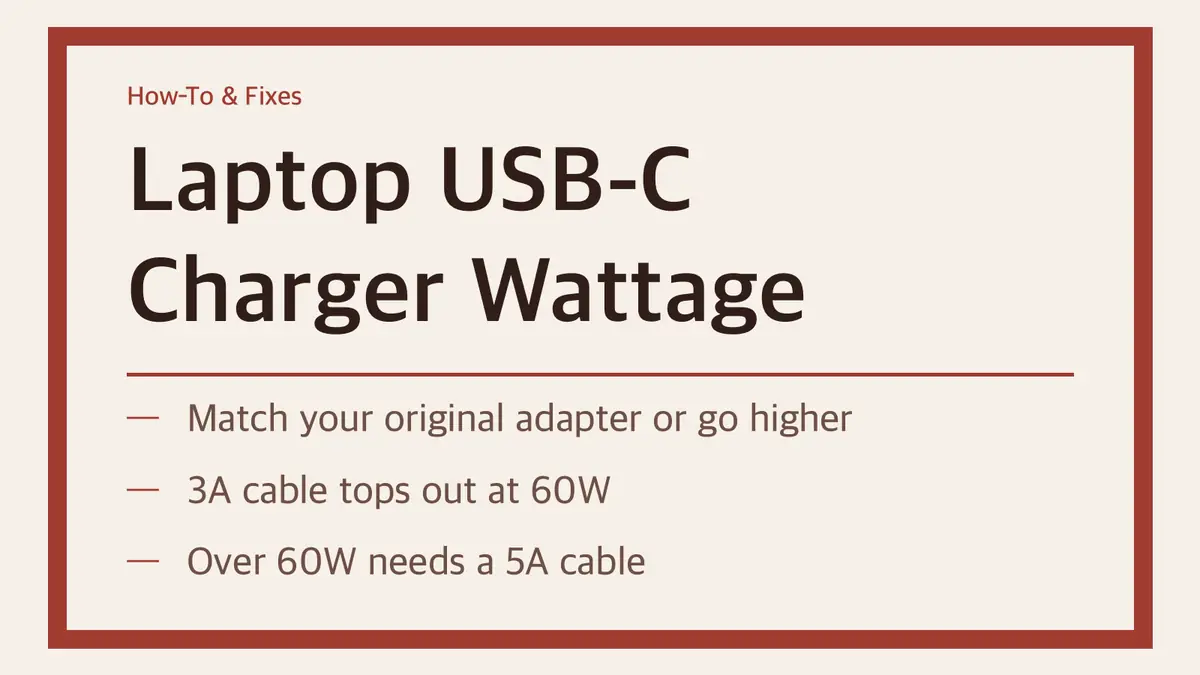
This is the part most people miss. A charger only sends more than 3A after it confirms, through USB PD, that the cable can carry it. Standard USB-C cables are rated for 3A. Cables rated for 5A have a small identification chip called an e-marker.
| Cable | Highest power | Good for |
|---|---|---|
| Standard USB-C (3A) | 60W (20V × 3A) | MacBook Air at its in-box 40W, Galaxy Book6 (45W) |
| 5A, e-marked ("100W") | 100W (20V × 5A) | 65W–100W laptops: Galaxy Book6 Pro, 14-inch MacBook Pro, Galaxy Book6 Ultra (integrated graphics) |
| 240W, e-marked | 240W (48V × 5A) | Laptops above 100W, such as the 16-inch MacBook Pro (140W) and Galaxy Book6 Ultra with discrete graphics (140W) |
Before USB PD Revision 3.1 (announced in 2021), USB-C charging was capped at 100W, using 20V over a 5A cable. Revision 3.1 added 28V, 36V and 48V levels for 140W, 180W and 240W, and those higher levels need a cable built to the 240W requirements. A 240W rating is a ceiling, not a promise: the laptop still takes only what it asks for.
What about a 65W laptop on a 3A cable? It gets up to 60W, about 5W short. LG ships its 65W gram adapter with a 3A cable, so that gap is small in daily use. Where the cable really matters is 70W and up, including fast charging a MacBook Air at 70W or a MacBook Pro at 96W.
To spot a 5A cable, look for "100W," "5A" or "E-Marker" on the cable or packaging. Certified cables may carry the USB-IF 60W or 240W logo.
If your laptop charges slowly, check these in order
- Read the wattage. Is the charger at least the original adapter's rating? On a Mac, check System Information as shown above.
- Swap the cable. A 70W or bigger charger on a 3A cable delivers no more than 60W. Try a 5A (100W) or 240W cable.
- Use one port. A Mac charges through only one port at a time, using whichever source provides the most power. Plugging chargers into two ports, MagSafe or USB-C, does not charge it faster.
- Unplug other devices from a multiport charger. See the next section.
Multiport chargers split their wattage
A charger's headline number is usually its total for all ports. Samsung's 65W Trio adapter is a clear example:
| Ports in use | Output |
|---|---|
| USB-C port 1 alone | Up to 65W |
| Both USB-C ports | 40W + 25W |
| All three ports | 35W + 25W + 5W |
With all three ports busy, a laptop on USB-C port 1 gets 35W, not 65W. Those numbers belong to that one charger. Other multiport chargers split power their own way, so check the per-port chart before you buy. If you want to charge a 65W laptop and a phone together, a charger with around 100W total gives you room for both.
Quick picks
| Your situation | What to get |
|---|---|
| MacBook Air (M5), normal charging | 40W or higher USB PD charger, standard cable |
| MacBook Air (M5), fast charging | 70W or higher charger, 5A cable |
| Galaxy Book6 Pro or LG gram | 65W PD charger; a 5A cable gets the full 65W |
| 14-inch MacBook Pro | 70W or 96W charger, 5A cable |
| 16-inch MacBook Pro or Galaxy Book6 Ultra (discrete graphics) | 140W charger, 240W cable |
| Laptop and phone on one charger | About 100W multiport charger, 5A cable |
One more note if you shop outside the US: since April 28, 2026, EU rules on a common charger apply to laptops, and Apple's UK pages list the MacBook power adapter as sold separately. US MacBooks still include one in the box.
Sources
- Apple: MacBook Air tech specs
- Apple: MacBook Pro tech specs
- Apple Support: Use a power adapter with your Mac
- Apple Support: Charge your Mac laptop computer
- Samsung: Galaxy Book6 Ultra, Book6 Pro and Book6 differences
- Samsung: 65W Trio power adapter
- LG: gram 16 specifications
- USB-IF: USB Charger (USB Power Delivery)
- USB Promoter Group: USB PD Revision 3.1 announcement
Specs and in-box adapters as listed on each maker's site on November 15, 2026. Adapters and boxes can change by region and configuration, so the label on your original adapter is the final word.
Related guides
 USB-C Headphone Adapter Not Working? It Likely Needs a Built-In DACIf your USB-C to 3.5mm adapter gives no sound or a "not supported" message, the adapter is usually the problem, not…
 MacBook Pro M6 Price: $1,999 for 16GB and 1TB, and It Ships November 6The M6 MacBook Pro starts at $1,999, $500 less than the M5 Pro model. Here is what the extra money buys, and why the…
 Galaxy Book 6 Price: From $799.99, Pro $1,799.99, Ultra $2,899.99Every Galaxy Book6, Book6 Pro, Book6 Ultra and Book6 Edge price on Samsung's US store as of November 9, 2026, how…