Last updated: November 16, 2026
What changed on October 14, 2026
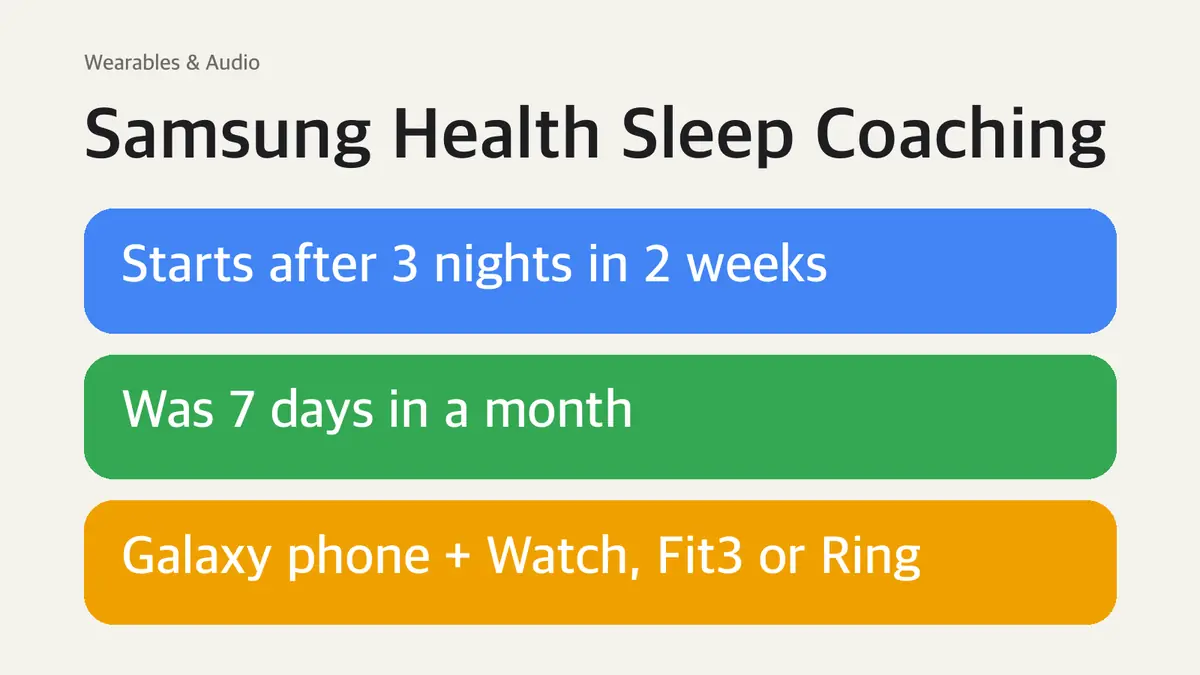
Samsung announced the change in its Global Newsroom on October 14, 2026. The goal is simple: get you into a coaching program after a few nights instead of making you wait most of a month.
| Before | Now | |
|---|---|---|
| Sleep data needed to start | 7 days within a month | 3 days within the past two weeks |
| Program length | (Samsung's older US support page: 4 to 5 weeks) | 4 to 8 weeks, based on your goal |
| Weekly guidance | Fixed program | Recommendations adjust every week as your sleep changes |
| Sleep summary | Reports | New Sleep Balance pentagon graph, daily morning insights, weekly and final reports |
Do the three nights have to be in a row?
No. Samsung's fine print says Sleep Coaching "requires a minimum of three days of sleep data tracked within a seven-to-14-day period." It sets a window, not a streak, so a night with your watch on the charger only means you need another tracked night inside that window.
What you need to use Sleep Coaching
All three parts have to be in place. Missing any one of them is the most common reason the coaching option doesn't show up.
| Part | Requirement |
|---|---|
| Phone | Samsung Galaxy smartphone running Android 11 or later |
| App | Samsung Health 6.24 or later |
| Wearable | Galaxy Watch4 series or later, Galaxy Fit3 or later, or Galaxy Ring |
| Sleep data | 3 days tracked within a 7- to 14-day period |
The phone rule matters if you're not on a Galaxy phone. Samsung says the Samsung Health app itself can be installed on other Android phones, Google phones and iPhones, but Sleep Coaching must be paired with a Samsung Galaxy smartphone. A Pixel or iPhone owner wearing a Galaxy Watch won't get the coaching program.
How to start Sleep Coaching
Samsung's US support page lists these steps on the phone:
- Open Samsung Health on your connected Galaxy phone and tap the Sleep tile.
- Tap Get started with sleep coaching.
- Answer the questions about your sleep.
- Tap Start and follow the on-screen prompts.
Coaching settings live on the phone. Samsung says you can't adjust them from the watch.
The survey
Setup asks about four things:
- How regular your sleep schedule is
- How often your sleep gets interrupted
- How much alcohol and caffeine you have
- How satisfied you are with your sleep
The Sleep Coaching animals
The survey answers and your three nights of data decide your Sleep Animal, a profile that sums up your sleep style. Samsung's US support page lists eight:
| Sleep Animal | |—| | Unconcerned Lion | | Sensitive Hedgehog | | Nervous Penguin | | Sun Averse Mole | | Cautious Deer | | Easygoing Walrus | | Alligator on the Hunt | | Exhausted Shark |
What the 4- to 8-week program does
Samsung builds the program around your goal, then changes it as you go.
- Daily habit checklists and sleep tips. Samsung's examples are no screens an hour before bed, skipping late caffeine and stretching outdoors after waking up.
- Weekly adjustments. The app tracks your daily sleep satisfaction and lifestyle changes and updates the next week's recommendations.
- Morning insight messages that review the night before, tied into weekly and final reports.
- Sleep Balance graph. A pentagon that puts five measures side by side: how long you slept, how regular your schedule is, time spent awake at night, how satisfied you felt and your Energy Score.
Energy Score only appears when data from a Galaxy Watch or Galaxy Ring is synced to Samsung Health. Samsung says the result is for personal reference and is not intended for medical purposes.
Sleep Coaching not working or still asking for 7 days?
If you read Samsung's US pages, you'll see the old rule in two places:
| Samsung page | What it says |
|---|---|
| US support article on sleep monitoring | Wear your watch for at least 7 days and nights before Sleep Coaching; a 4- to 5-week program |
| US Samsung Health app page (footnote) | Sleep data of at least 7 days, including 1 workday and 1 day off; app 6.24 or later |
| Global Newsroom, Oct. 14, 2026 | 3 days within the past two weeks; 4 to 8 weeks |
The October announcement is the newest of the three, and it is the one that describes the change. The US pages simply haven't caught up. Samsung also says the new features roll out "progressively" through Samsung Health updates starting in October, and that timing may vary by market, model and other conditions.
So if your app still asks for a week of data:
- Update Samsung Health to the newest version your phone offers.
- Confirm your phone is a Galaxy on Android 11 or later and your wearable is on the list above.
- Wear the watch, band or ring to bed. Coaching uses tracked sleep from the wearable.
If all three are true and you still see the old requirement, your account hasn't received the new version of the feature yet. The old seven-day path still works in the meantime.
How to turn off Sleep Coaching (and what you lose)
Quitting resets your progress. Samsung's support page says stopping Sleep Coaching takes you back to day one, and if you restart, you answer the same questions again.
- Open Samsung Health on the phone and tap the Sleep tile.
- Tap More options (three vertical dots) and choose Sleep coaching.
- Tap Preview, then More options on that screen.
- Tap Quit coaching, then confirm.
If you only want a break from reminders, keep that reset in mind before quitting a program you're halfway through.
Sleep Coaching is not the sleep apnea feature
These are separate tools that both use overnight data:
| Feature | What it does | Where it lives |
|---|---|---|
| Sleep Coaching | Habit program based on your sleep data and survey | Samsung Health |
| Sleep apnea feature | FDA-cleared check for signs of moderate to severe sleep apnea | Samsung Health Monitor app |
| Running Coach | Personalized running plan, now 12 levels | Samsung Health, needs a Galaxy Watch8 series or later |
Running Coach got its upgrade in the same October announcement, so news stories often mix the two. Its device list is much shorter: Galaxy Watch8 or later, Android 10 or later and Samsung Health 6.30.2 or later. Sleep Coaching still works back to the Galaxy Watch4.
If you're wearing a Galaxy Ring mainly to check for sleep apnea, that runs on its own two-night test in the Samsung Health Monitor app, not through Sleep Coaching.
Sources
- Samsung Global Newsroom: Samsung Health Makes Sleep Coaching Easier To Start and Tailors Weekly Guidance (Oct. 14, 2026)
- Samsung Mobile Press: Samsung Health update
- Samsung US Support: Use Samsung Health sleep monitoring on your Galaxy Watch
- Samsung US: Samsung Health
Sleep Coaching is a wellness feature, not a medical service. If you have ongoing trouble sleeping, talk to a doctor.
Related guides
 Galaxy Ring Sleep Apnea: Now Available, Needs 2 Nights in 10 DaysSamsung's upgraded Sleep Apnea feature reached Galaxy Ring and Galaxy Watch9 on November 3, 2026. Here is how the…
 Galaxy Buds 4 vs Buds 4 Pro: $70 Buys a Sealed Fit and IP57The Galaxy Buds 4 and Buds 4 Pro look almost the same, but the $70 gap comes down to fit, sound hardware, water…
 Galaxy S23 One UI 9 Update: Live in the US Since Oct. 19, Its Last OS UpgradeOne UI 9 with Android 17 is out for the Galaxy S23, S23+ and S23 Ultra in the US. Here are the build numbers, what…