Last updated: November 18, 2026
What Google announced
Google posted the news on its official blog on November 17, 2026, under the name of P.J. Linarducci, VP of Consumer Payments. The headline was short: Google Wallet is now available on iOS in the U.S.
The app is listed on the U.S. App Store as Google Wallet by Google LLC, with the subtitle "Access Orders & Passes Faster." The listing says it is designed for iPhone.
Google pitches the iPhone version around three ideas:
- Organize what you already have in Gmail. Orders, receipts, boarding passes, concert tickets and delivery updates show up in Wallet automatically.
- Faster online checkout. You manage saved payment cards for checkout across Google and anywhere you can use Google Pay online.
- A home for AI shopping. Google says Wallet will be a hub for "agentic purchases," meaning purchases made for you by Google's AI agents. Whatever those agents buy for you shows up in Wallet with its confirmation, receipt and shipping status.
Can you tap to pay with Google Wallet on iPhone?
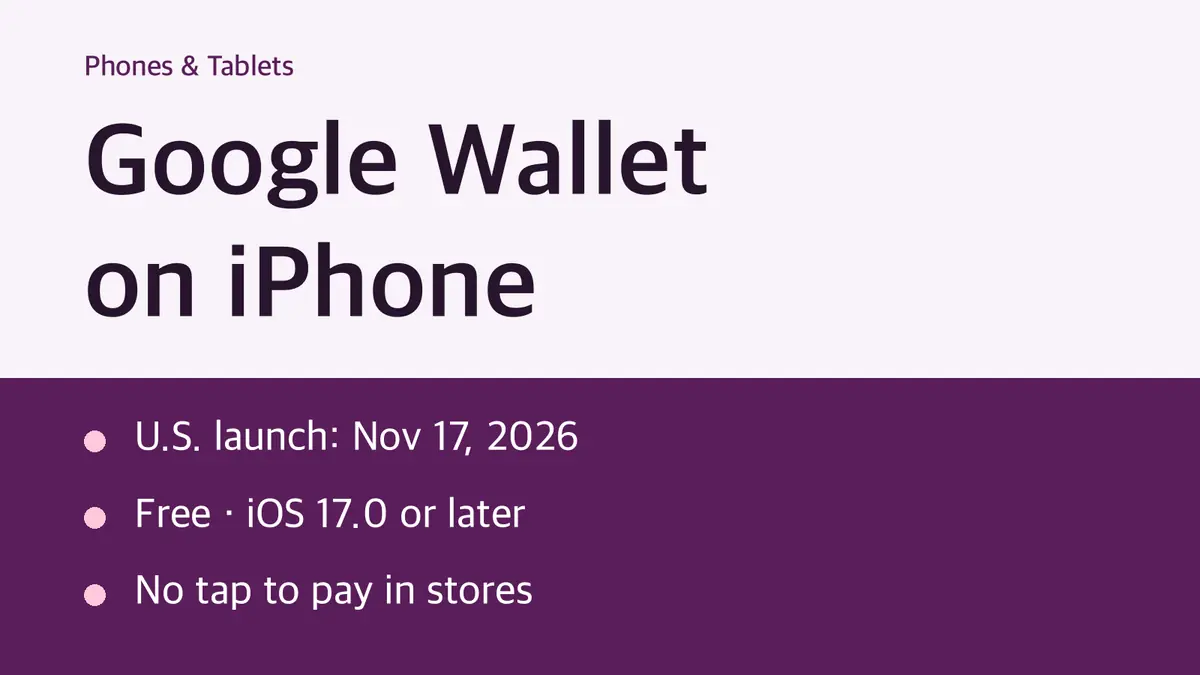
No. Both Google's announcement and the App Store listing say it plainly: in-store tap-to-pay is not supported on iOS at this time.
That means:
- You can't hold your iPhone to a card reader at the checkout and pay through Google Wallet.
- Adding a card to Google Wallet on iPhone does not turn it into a contactless card.
- For paying at a register with your iPhone, Apple Pay is still the option.
Google did not give a date for adding tap-to-pay on iPhone. The words "at this time" leave the door open, but there is no announced plan, so buy and set up as if it won't arrive soon.
What Google Wallet does on iPhone
Here is every feature Google lists for the iOS app, and what it means day to day.
| Feature | What it does on iPhone | Works? |
|---|---|---|
| Gmail sync | Pulls orders, receipts, boarding passes and tickets from your inbox | Yes |
| Package tracking | Shows delivery status without opening the store's app | Yes |
| Travel updates | Tracks travel details from Gmail and keeps boarding passes ready | Yes |
| Card scanning | Uses the iPhone camera to save loyalty cards, gym memberships and barcode passes | Yes |
| Saved payment cards | Manages cards for online checkout across Google and where Google Pay is accepted | Yes |
| AI purchase tracking | Keeps orders made by Google's AI agents in one place | Yes |
| Sync across devices | Shows the same orders and passes on any device signed in to your Google Account | Yes |
| Tap to pay in stores | Pay at a contactless card reader | No |
You also choose what Wallet imports from Gmail, according to the App Store listing. If you only want boarding passes and not every receipt, you can limit what it pulls in.
Google Wallet vs. Apple Pay on iPhone
These two are not really rivals on iPhone right now. They do different jobs.
| Google Wallet (iPhone) | Apple Pay (Apple Wallet) | |
|---|---|---|
| Pay in stores with a tap | No | Yes, anywhere with the contactless symbol |
| Pay online | Cards saved for Google Pay checkout | Apple Pay button in Safari and apps |
| Transit fares | No | Yes, in eligible cities, with Express Mode |
| Pulls passes and orders from Gmail | Yes | Not a listed feature |
| Same passes on Android, iPhone and other devices | Yes, through your Google Account | Apple devices |
| Security at checkout | Google's security and privacy controls | Face ID, Touch ID or passcode, device-specific card number |
Apple says Apple Pay purchases are confirmed with Face ID, Touch ID or your passcode, and that it uses a device-specific number so stores never see your actual card number. That security setup is tied to Apple's own Wallet app, which is one reason Google's iPhone app sticks to passes, orders and online checkout.
The practical setup for most people: keep Apple Pay for the register, and add Google Wallet if you live in Gmail and want your tickets, flights and deliveries gathered automatically.
Which iPhones can run it?
The App Store listing says Google Wallet requires iOS 17.0 or later. Apple released iOS 17 for the iPhone XS, iPhone XR and later models, so an iPhone 14, iPhone 15 or any newer model can install it as long as it runs iOS 17 or later.
| Requirement | Detail |
|---|---|
| iOS version | iOS 17.0 or later |
| Oldest iPhones | iPhone XS and iPhone XR |
| Device type | Designed for iPhone |
| Store | U.S. App Store |
| Price | Free |
| App size | 171.4 MB |
| Account | A Google Account (for Gmail sync and saved cards) |
Google's announcement covers the U.S. only. If your App Store account is set to another country, the launch does not include you yet.
What data the app collects
Because Wallet reads Gmail and handles payment cards, it is worth knowing what it asks for. Google's privacy section on the App Store lists data that may be linked to you, including:
- Financial info: payment info and other financial info
- Purchases: purchase history
- Contact info: name, email address, phone number and physical address
- Location: coarse location
- Contacts, photos or videos, and usage and diagnostic data
Some of this, such as purchase history and email address, is also listed for advertising or marketing and for personalization. If that matters to you, the import setting is your main control: let Wallet pull only the email types you actually want in the app.
Who should install it
Google Wallet on iPhone makes the most sense if:
- You use Gmail as your main inbox and want flights, tickets and deliveries collected without searching your email.
- You switched from Android and already keep loyalty cards and passes in Google Wallet.
- You shop online with Google Pay and want to manage those saved cards in one place.
- You plan to use Google's AI shopping features and want a single place to see what was ordered for you.
It adds little if you mostly need a phone wallet for paying in stores. Apple Pay already does that, and Google Wallet on iPhone does not.
FAQ
Is Google Wallet on iPhone the same as Google Pay? Not quite. Google Wallet is the app that holds your cards, passes and orders. On iPhone, the cards you save there are used for checkout across Google and wherever Google Pay is accepted online.
Can I use Google Wallet on iPhone in the UK or India? Not from this launch. Google announced it for the U.S. only and has not named other countries.
How do I download Google Wallet on iPhone? Open the App Store, search for Google Wallet, and pick the app from Google LLC. Sign in with your Google Account so Wallet can sync with Gmail.
Is Google Wallet on iPhone free? Yes. The App Store lists it as a free download.
Sources
- Google: Google Wallet is now available on iOS in the U.S. (November 17, 2026)
- App Store: Google Wallet
- Apple: Apple Pay
- Apple Support: Set up Apple Pay
- MacRumors: iOS 17 compatible devices