Last updated: November 4, 2026
Why the adapter gives no sound
A headphone jack needs an analog signal. Your phone's USB-C port can send audio two ways:
| Adapter type | How it works | What happens on newer phones |
|---|---|---|
| Analog (passive) | The phone itself converts sound and sends analog audio through the USB-C pins | Often no sound or a "not supported" message |
| Digital (built-in DAC) | The phone sends digital audio, and a small chip in the adapter converts it | Works on phones with an audio-enabled USB-C port |
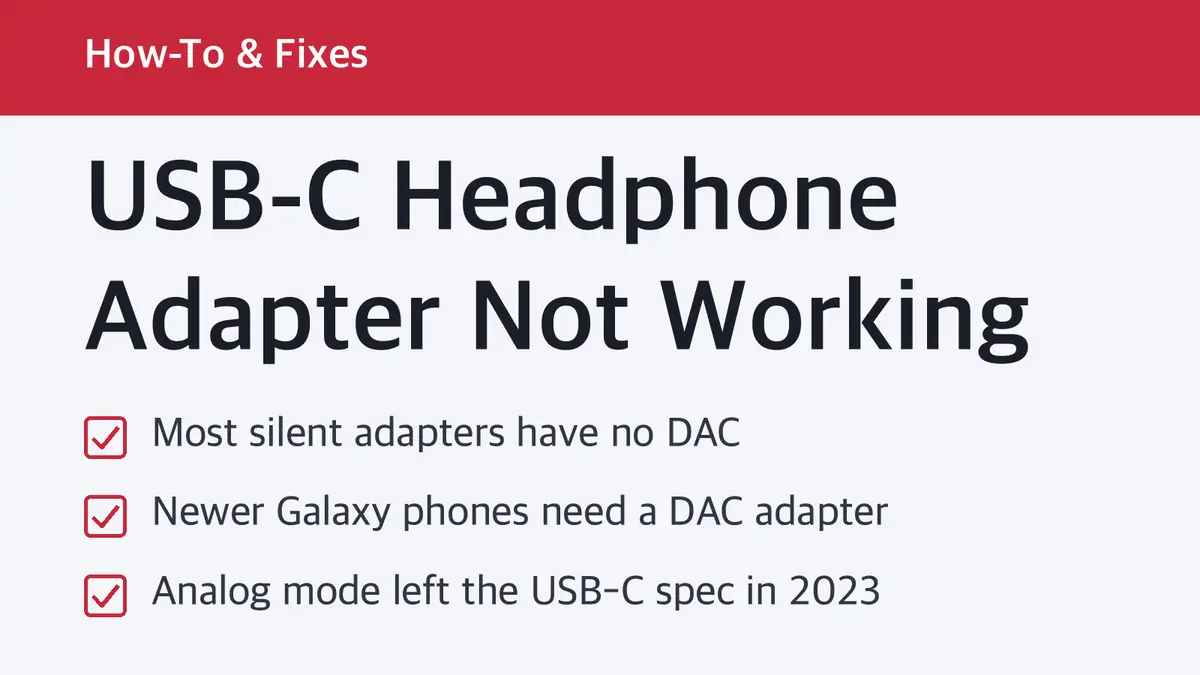
Samsung's UK support page puts it plainly: newer Galaxy phones "no longer directly support DAC," so you need a USB-C to 3.5mm adapter with built-in DAC. If you buy one from another brand, Samsung says to make sure it is DAC compatible.
The USB standards group (USB-IF) made the same shift. In Release 2.3 of the USB Type-C spec (October 2023), it deprecated the "Audio Adapter Accessory Mode," the mode passive analog adapters rely on, and replaced it with Liquid Corrosion Mitigation Mode. USB-C digital audio follows the USB Audio Device Class specs instead.
Error messages and what they mean
| What you see | Likely cause |
|---|---|
| "Connected USB device isn't supported" (Galaxy) | Analog adapter or analog USB-C earphones |
| "Not compatible" message (Galaxy) | Same cause |
| No message, no sound | Analog adapter, or the adapter isn't fully seated |
| Sound works but the mic or buttons don't | The adapter or headset doesn't support those functions |
Samsung's support page says analog USB audio accessories can trigger a "Not-compatibility" or "Connected USB device isn't supported" error, and you will not hear any sound. It recommends USB-C earphones that support Digital Output.
Fix it in this order
- Unplug and plug it back in firmly. A case can stop the plug from seating fully. Try with the case off.
- Check the port. Lint in the USB-C port can block contact. Look with a light, and clear it gently with a wooden or plastic toothpick, never metal.
- Try the adapter on another device. If it works on a laptop but not your phone, your phone likely needs a DAC adapter.
- Check the box or listing for "DAC." If it doesn't say DAC or digital, assume it is analog.
- Replace it with a DAC adapter from your phone maker or a brand that lists DAC support.
Which adapter to buy
| Adapter | US price | DAC | Charge at the same time |
|---|---|---|---|
| Apple USB-C to 3.5 mm Headphone Jack Adapter | $9.00 | Not listed on Apple's page | No (one plug) |
| Samsung USB-C to 3.5mm Headset Jack Adapter (EE-UC10J) | Varies by seller | Samsung says to use a built-in DAC adapter | No |
| Belkin RockStar 3.5mm Audio + USB-C Charge Adapter | $39.99 | Built-in | Yes, up to 60W passthrough |
For iPhone 15 and later: Apple's support page says to use the Apple USB-C to 3.5 mm Headphone Jack Adapter (or the Apple USB-C to Lightning Adapter for Lightning headphones) to play audio through the USB-C port.
Apple also notes that devices and cables that don't follow the USB-C standard "might not work as expected." Apple's own adapter is the safe pick on iPhone.
For Galaxy phones: buy Samsung's own adapter or another brand that clearly says built-in DAC.
If you need to charge while listening: a two-port adapter with a DAC, like Belkin's RockStar, lets you take calls and listen while passing through up to 60W. Belkin says full speed needs a USB Power Delivery or Quick Charge 2.0 charger and a compatible device, and actual charging speed depends on your phone and charger.
Using Lightning headphones on a USB-C iPhone
Old Lightning EarPods won't plug in directly. Apple's USB-C to Lightning Adapter supports power, data and audio, so your Lightning headphones work through it.
One more thing: USB-C accessories and Wi-Fi
Apple notes that some third-party USB-C accessories and cables can interfere with wireless connections. If Wi-Fi or cellular feels slower while the adapter is plugged in, it should return to normal once you unplug it.
Sources
- Samsung UK: Connecting a 3.5mm headphone jack via USB-C to your Galaxy device
- Samsung Philippines: What to do if my Galaxy phone doesn't have an earphone jack
- Apple Support: Charge and connect with the USB-C connector on your iPhone
- Apple: USB-C to 3.5 mm Headphone Jack Adapter
- Belkin: RockStar 3.5mm Audio + USB-C Charge Adapter
- USB-IF: USB Type-C Cable and Connector Specification Release 2.5
Prices are as of November 4, 2026 in US dollars.
Related guides
 How to Reset AirPods: Hold 15 Seconds or Double-Tap 3 TimesThe reset method depends on your model. Older AirPods use the setup button on the case; AirPods 4, AirPods 5 and…
 iPhone Battery Replacement Cost: $69 to $129 at Apple by ModelApple's out-of-warranty battery service costs $69 for older iPhones, $89 to $99 for most recent ones and $119 to…