Last updated: November 9, 2026
Claude Code price by plan
These are Anthropic's US web prices. Taxes are not included, and Anthropic notes that app store pricing on iOS and Android may differ.
| Plan | Price | Claude Code | Limit every 5 hours | Limit every week |
|---|---|---|---|---|
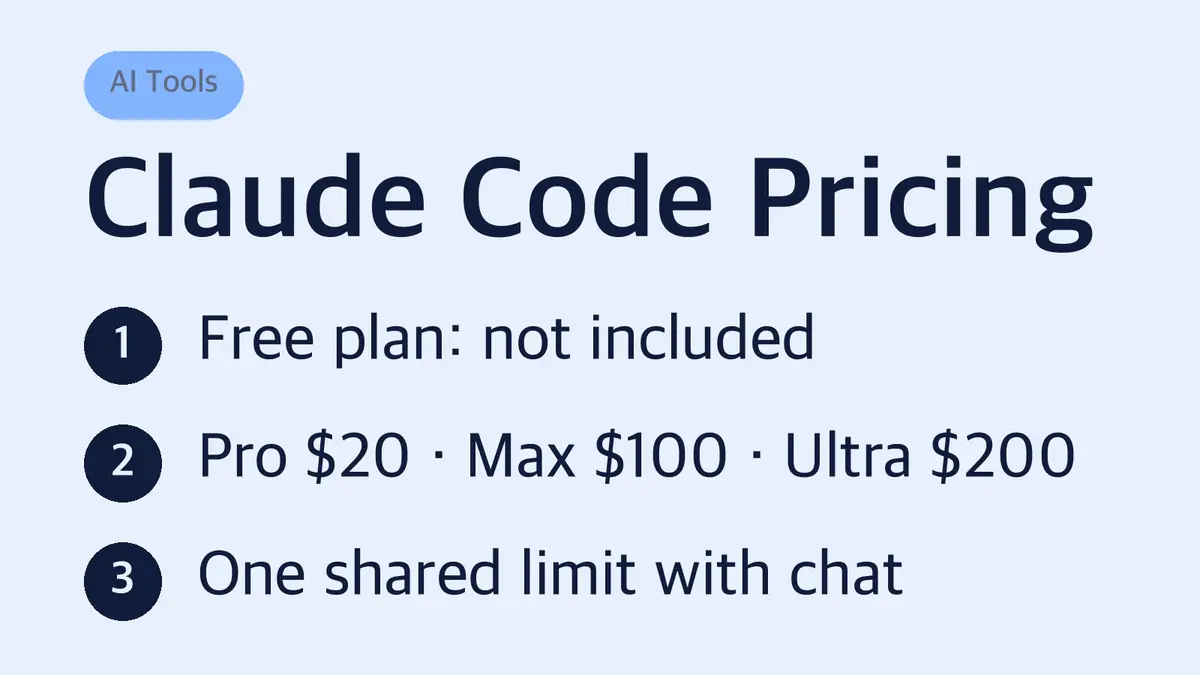
| Free | $0 | No | Limited | Limited |
| Pro | $20/month or $17/month billed yearly | Yes | 1x (baseline) | 1x |
| Max | $100/month (monthly only) | Yes | 5x Pro | 5x Pro |
| Ultra | $200/month (monthly only) | Yes | None for verified accounts | 10x Pro |
Anthropic's setup docs are clear on this: a free claude.ai account can't sign in to Claude Code. You can still run Claude Code without a subscription by paying per token through a Claude Console (API) account, which is covered further down.
Ultra is the old Max 20x plan
Many pricing guides still list two Max tiers, "Max 5x" at $100 and "Max 20x" at $200. That is out of date. Anthropic now sells the $200 tier as Ultra, and existing Max 20x subscribers were moved to Ultra automatically with no price change. The $100 tier is simply called Max.
The limits changed shape too, so "20x Pro" is no longer the right way to describe the $200 plan:
- Max ($100): 5 times Pro's usage every 5 hours and every week.
- Ultra ($200): 10 times Pro's usage every week, and no 5-hour limit once your account is verified.
- Ultra still has a weekly limit. It is not unlimited.
Verification is automatic. Anthropic checks factors like account and payment history, and a temporary 5-hour limit applies until it finishes. Confirming your phone number at checkout is a separate step and does not lift that limit. If Settings > Usage shows no "Current session" bar, your Ultra account is verified.
What each paid plan adds beyond Claude Code
All three paid plans run the same Claude Code in the terminal and in supported IDEs (VS Code, Cursor and other VS Code forks, and JetBrains IDEs such as IntelliJ and PyCharm). The differences are mostly about how much you can use and which extras come with it.
| Feature | Pro | Max | Ultra |
|---|---|---|---|
| Fable (Anthropic's top model) | Only with paid usage credits | Up to 50% of weekly limit | Up to 50% of weekly limit |
| Opus, Sonnet, Haiku | Yes | Yes | Yes |
| Monthly API credits | None | $100 | $200 |
| Priority access at busy times | No | Yes | Yes |
| Billing cycle | Monthly or yearly | Monthly | Monthly |
Max and Ultra also have a separate weekly limit just for Fable, on top of the all-model weekly limit.
The $100 and $200 API credits do not pay for Claude Code
This is the detail most guides skip. Max and Ultra come with $100 and $200 a month in Claude Platform API credits, but Anthropic says those credits don't apply to interactive Claude Code in the terminal, IDE, desktop or web. They also don't cover extra usage after you hit a plan limit.
The credits are for building your own apps with the Claude API, the Console Playground, Managed Agents and the Claude Agent SDK. A few rules come with them:
- You must be on Max or Ultra for 7 days before you can claim them.
- You claim them on claude.ai by linking one Claude Console organization in Settings > Billing.
- They do not roll over. Unused credits expire at the end of each billing cycle.
- They don't raise your Claude Code or chat limits.
So if you are choosing between Max and Ultra only for Claude Code, judge them on usage limits, not on the API credit.
How Claude Code usage limits work
Claude on the web, desktop, mobile and Claude Code all pull from one shared pool. A long research chat in the afternoon leaves less room for coding that evening.
- 5-hour limit (Pro and Max): The window starts when you send your first message and resets in full 5 hours later.
- Weekly limit (all paid plans): Resets at a fixed day and time assigned to your account. It doesn't depend on when you subscribed. Settings > Usage shows your next reset.
- No fixed message count: How far a plan goes depends on the model, conversation length, file sizes and the features you use.
- Anthropic can add caps: Its help pages say it may add weekly or monthly caps or limit certain models and features to manage capacity.
Claude Code warns you as you get close to a limit. Inside a session, `/status` shows how much of your plan allocation is left.
The "wrapping up" allowance
If you hit the 5-hour limit while Claude Code is in the middle of a response, it may keep going briefly to finish that step instead of stopping halfway. You'll see "Usage limit reached · wrapping up." The allowance is small, capped and counts against your weekly limit.
| Plan | When the wrap-up allowance applies |
|---|---|
| Pro | Up to once per weekly period |
| Max | Each time you hit a 5-hour limit |
| Ultra (verified) | Not needed, since there is no 5-hour limit |
Anthropic is rolling this out gradually, so some accounts don't have it yet.
What happens when you hit the limit
You have four choices, and only two of them cost extra.
- Wait for the reset. The 5-hour window or your weekly reset brings your full allowance back.
- Upgrade. Pro to Max, or Max to Ultra. Upgrades take effect right away, and unused time on your current plan is credited toward the new one.
- Turn on usage credits. Keep working at standard API rates, billed separately from your subscription.
- Switch to a Console account. Log in to Claude Code with a Claude Console account and buy API credits for a heavy coding sprint.
Usage credits are switched on in Settings > Usage, and they cover both Claude chat and Claude Code. You can set a monthly spend cap or turn on auto-reload (web only). They are non-refundable. Credits bought on or after December 7, 2026 expire 12 months after purchase, while earlier purchases don't expire.
If you never want to be offered API billing, run `claude logout`, then `claude login` with only your Pro, Max or Ultra account, and don't add Console credentials.
Watch out for ANTHROPIC_API_KEY
If an `ANTHROPIC_API_KEY` environment variable is set on your machine, Claude Code uses that key instead of your subscription. That means API charges instead of your plan's included usage.
When you start Claude Code in interactive mode with a key present, it asks once whether to use the key and remembers your answer. You can change that later in `/config`. In non-interactive mode (`claude -p`), the key is always used when it's set. If you were logged in with a pay-as-you-go Console account, run `/login` inside Claude Code to switch to your subscription.
Pay-per-token API pricing for Claude Code
Without a subscription, Claude Code bills by tokens through a Console account. Current API prices per million tokens (MTok):
| Model | Input | Output |
|---|---|---|
| Fable 5.1 | $10 | $50 |
| Opus 5.5 | $4 | $20 |
| Sonnet 5.5 | $2 | $10 |
| Haiku 5.5 (prompts up to 100K tokens) | $0.10 | $0.50 |
Opus 5.5 fast mode costs 2x standard pricing. Batch processing saves 50%, but that applies to API batch jobs, not to interactive coding.
For scale, Anthropic's cost docs say enterprise deployments average about $13 per developer per active day and $150 to $250 per developer per month, with 90% of users staying under $30 per active day. Those are business API figures, not subscription prices, but they show why a heavy daily coder often comes out ahead on Max or Ultra.
Team and Enterprise plans
| Plan | Price per seat | Claude Code |
|---|---|---|
| Team Standard | $20/month billed yearly, $25 monthly | Included |
| Team Premium | $100/month billed yearly, $125 monthly | Included, 5x a Standard seat's usage |
| Enterprise | $20/month billed yearly, plus usage at API rates | Included on new and self-serve plans |
Team plans are for 2 to 150 people, and Enterprise starts at 20 seats. Some older guides say Team Standard seats don't include Claude Code. Anthropic's current help page says Claude Code is included with every Team seat. On older Enterprise contracts, it comes only with Chat + Claude Code seats or Premium seats.
How Claude Code compares with OpenAI Codex
OpenAI's Codex has a similar ladder, with a cheaper entry point:
| Claude Code | OpenAI Codex | |
|---|---|---|
| Free plan | Not included | $0 plan for quick tasks |
| Entry paid plan | Pro, $20/month | Go $8/month, Plus $20/month |
| Heavy-use plans | Max $100, Ultra $200 | Pro at $100, $200 or $500/month |
| 5-hour limit on top plans | None on verified Ultra | None on Pro plans currently |
The biggest practical difference is at the bottom: you can try Codex for free, while Claude Code needs at least Pro or a pay-as-you-go Console account.
Which Claude plan should you pick for Claude Code?
| You… | Pick |
|---|---|
| Code a few hours a week, or want to try Claude Code | Pro, and pay yearly ($17/month) once you're sure |
| Hit Pro's 5-hour limit most days | Max |
| Run long sessions and keep hitting the 5-hour window on Max | Ultra |
| Code only occasionally in bursts | Console pay-per-token, or Pro plus usage credits |
| Buy for a team of 2 or more | Team Standard, Premium for heavy users |
Start with Pro unless you already know your workload. Upgrades apply instantly and credit your unused time, so you don't pay twice for the same days. Downgrades only take effect at the end of the billing period.
Sources
- Claude plans and pricing
- What is the Pro plan?
- What is the Max plan?
- What is the Ultra plan?
- Use Claude Code with your Pro, Max, or Ultra plan
- How do usage and length limits work?
- Manage usage credits for paid Claude plans
- Monthly API credits for Max, Ultra, and Team plans
- Use Claude Code with your Team or Enterprise plan
- Claude Code docs: Advanced setup
- Claude Code docs: Authentication
- Claude Code docs: Manage costs
- OpenAI Codex pricing
Prices and plans can change at Anthropic's discretion. This guide reflects Anthropic's pricing pages as of November 9, 2026.
Related guides
 ChatGPT Pro Price: $100, $200 or $500 a Month, With API CreditsOpenAI now sells three Pro tiers. Here is what each costs, what changes between them, and how the new monthly API…
 ChatGPT Refund: Ask Within 7 Days, Through Chat or AppleOpenAI says payments are generally non-refundable, but an unused subscription can be refunded if you ask within…