Last updated: November 20, 2026
Where macOS 27.3 stands right now
Here is the timeline so far, taken from Apple's developer release list and the dates reported by MacRumors.
| Step | Date | Build |
|---|---|---|
| Developer beta 1 | November 3, 2026 | 26C5035r |
| Public beta 1 | November 5, 2026 | — |
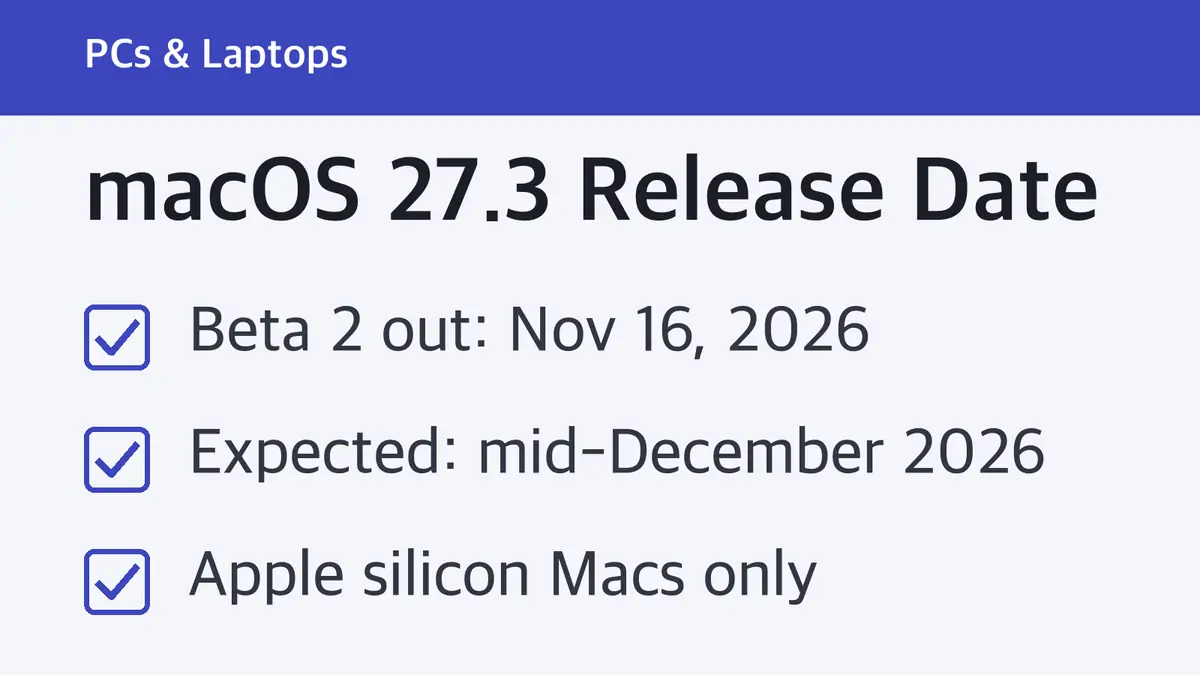
| Developer beta 2 | November 16, 2026 | 26C5047e |
| Release candidate (RC) | Not out yet | — |
| Public release | Not announced | — |
The current public version is macOS 27.2.1, released November 9, 2026 with bug fixes and security updates. Before that, macOS 27.2 shipped on October 26, 2026, and macOS 27 itself launched on September 14, 2026.
One small detail: beta 2 came 13 days after beta 1. In the 27.2 cycle, the second beta followed the first by about a week. A slower gap between betas is common when Apple is working through bigger changes, and 27.3 beta 2 added a large privacy change (more on that below).
How we estimate mid-December
Apple never announces .3 dates in advance, so the estimate comes from two things Apple has already published.
1. Apple's own release history
These dates come from Apple's security releases list.
| Update | Release date |
|---|---|
| macOS Sonoma 14.3 | January 22, 2024 |
| macOS Sequoia 15.2 | December 11, 2024 |
| macOS Sequoia 15.3 | January 27, 2025 |
| macOS Tahoe 26.2 | December 12, 2025 |
| macOS Tahoe 26.3 | February 11, 2026 |
| macOS Golden Gate 27.2 | October 26, 2026 |
In the last three years, the .3 update landed in late January or February, and the .2 update took the mid-December slot. This year is different. macOS 27.2 came out on October 26, about seven weeks earlier than macOS 26.2 did last year. That pulls the whole schedule forward, which puts 27.3 in the December slot that .2 updates used to fill.
2. The macOS 27.2 beta cycle
The first macOS 27.2 beta arrived a week before beta 2 on September 21, so around September 14. The final release came on October 26. That is about six weeks from first beta to public release.
Apply the same six weeks to 27.3, whose first beta came out on November 3, and you land on mid-December. That lines up neatly with the December 11 and December 12 releases of the past two years.
MacRumors reached the same conclusion on November 5: "We're expecting all of Apple's updates to launch in December."
What could move the date
- The slower beta pace. If Apple needs a beta 3 and beta 4 at two-week intervals, the release slides toward the second half of December.
- The U.S. holidays. Thanksgiving is November 26, and Apple's past December updates all shipped before the holiday week at the end of the month.
- The release candidate. Apple posts an RC build to developers before every public release. When "macOS 27.3 RC" shows up on Apple's developer release list, the public version is close.
Our call: plan for mid-December 2026. A release in November is very unlikely because 27.3 has not reached the RC stage, and a slip into January would break the pattern of the last two years.
What's new in macOS 27.3 (confirmed by Apple)
These changes are in Apple's official macOS 27.3 beta 2 release notes or support documents. They can still change before release, but Apple has documented them.
New controls for powerful app permissions
This is the biggest change. Some apps ask for Full Disk Access or the ability to control other apps. Starting in macOS 27.3, you get more say in how much access they get:
- The old Device Control and Data Access setting splits into two: System & App Protection Override and Accessibility.
- When an app asks, your Mac can let you Choose Folder or Choose Apps instead of giving it everything.
- For apps that control other apps, you can pick Ask First (it must ask before each app) or At Any Time.
- A transparency indicator appears when an app is controlling another app through System & App Protection Override.
- Permissions you already granted stay in effect. You see the new screens only when you approve a new request.
Apple's support document puts the risk plainly: an app with Full Disk Access can read, change, delete and export all of the files on your Mac without asking. Apps that usually ask for this include backup apps, disk cleaners, file indexers and security apps.
To review what you have already allowed, open System Settings > Privacy & Security, then click Files & Folders, Full Disk Access or System & App Protection Override. Use the remove button (−) to take access away, or the info button (i) to change which folders or apps an app can reach.
Apple also lists a known issue in beta 2: apps given the new System & App Protection Override permission might have trouble working with Safari and other WebKit apps.
Rosetta warnings for old plug-ins and printer drivers
macOS 27.3 tells you when you use something that still needs Rosetta, Apple's tool for running Intel code on Apple silicon:
- You get a notification when an audio plug-in or print dialog extension needs Rosetta. These also appear in the Intel-based apps list in General settings.
- You get a notification when you print with a printer driver that hasn't been updated for Apple silicon. If Rosetta isn't installed, macOS prompts you to install it.
Apple's fix for the printer warning is simple: use AirPrint, which most printers support with no extra driver.
Smaller confirmed changes
- Video podcasts in the Apple TV app. You can watch full episodes and pick up where you left off in Apple Podcasts.
- Linux boot fix for M5 Pro, M5 Max and M5 Ultra Macs. Only a single CPU core was available when booting Linux or another third-party OS from a custom raw boot object. Apple lists this as fixed.
Beta features reported so far (not in Apple's notes yet)
These features were found in the betas by MacRumors and other Apple news sites. Apple's user-facing "What's new" page for macOS 27 updates does not list 27.3 yet, so treat these as beta features. They can change or be pulled before release.
- Safari Vertical Tabs and Adaptive Dark Mode. The same Safari changes are in the iOS 27.3 beta.
- Live Activities in the menu bar on Macs without a Dynamic Island, plus native Live Activities on the new PROLED MacBook Pro.
- Siri AI that does more inside Apple's apps, handling more tasks in built-in apps than it could in 27.2.
- A security fix for command-line tools. It stops tools you run in Terminal from trusting compromised eMudhra web certificates. Per MacRumors, Safari, Mail and other apps have blocked those certificates since October 19, so this mainly matters if you use Terminal. MacRumors also expected macOS 27.2.1 to carry the same fix.
Which Macs will get macOS 27.3
macOS 27.3 is an update to macOS 27 Golden Gate, so it goes to the same Macs. Apple lists only Apple silicon models:
- MacBook Neo (2026)
- MacBook Air with Apple silicon (2020 and later)
- MacBook Pro with Apple silicon (2020 and later)
- iMac with Apple silicon (2021 and later)
- Mac mini with Apple silicon (2020 and later)
- Mac Studio (2022 and later)
- Mac Pro with Apple silicon (2023)
Intel Macs stay on macOS Tahoe 26 and get security updates there instead.
Should you install the beta now?
Only on a Mac you can afford to troubleshoot. To join, sign up on Apple's beta program site, then go to System Settings > General > Software Update and choose the macOS 27.3 beta under Beta Updates. Back up with Time Machine first.
For most people, waiting four weeks or so for the final release makes more sense. The new permission screens and the known Safari issue are exactly the kind of thing Apple tunes between betas.
What to do before the final release
- Back up your Mac with Time Machine or your backup app.
- List your apps with Full Disk Access. Open Privacy & Security and look at the Full Disk Access list. Remove anything you no longer use, so you're not surprised by new prompts later.
- Check your printer. If your printer supports AirPrint, use it and skip the old vendor driver.
- Update audio plug-ins. If you make music on your Mac, check whether your plug-ins have Apple silicon versions.
Sources
- Apple Developer: Releases
- Apple Developer: macOS 27.3 Golden Gate Beta 2 Release Notes
- Apple Support: Apple security releases
- Apple Support: What's new in the updates for macOS 27 Golden Gate
- Apple Support: If an app asks for Full Disk Access or System & App Protection Override on your Mac
- MacRumors: First iOS 27.3 and macOS Golden Gate 27.3 Public Betas Now Available
- MacRumors: Apple Seeds Second macOS Golden Gate 27.2 Beta to Developers
Related guides
 MacBook Pro M6 Price: $1,999 for 16GB and 1TB, and It Ships November 6The M6 MacBook Pro starts at $1,999, $500 less than the M5 Pro model. Here is what the extra money buys, and why the…
 iMac M6 Price: $1,499 to Start, $1,699 for 12-Core, Out Nov. 6Apple's new iMac with M6 comes in two models, $200 apart. The 12-core model adds two more Thunderbolt ports,…
 Mac mini M6 Price: $899 to Start, $300 More Than the M4Apple's Mac mini with M6 starts at $899, up from $599 for the M4 model. Here are every stock configuration price,…