Last updated: November 16, 2026
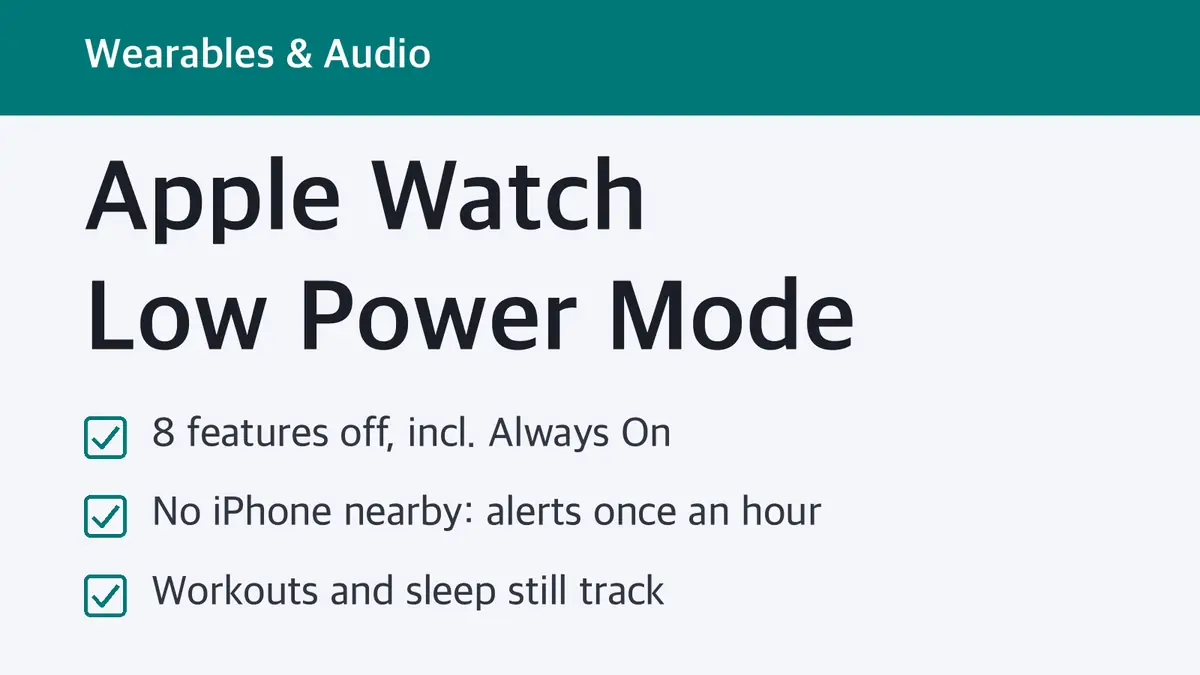
What Low Power Mode turns off completely
According to Apple's support article, these features stop entirely while Low Power Mode is on:
| Feature | What you lose |
|---|---|
| Always On display | The screen goes dark when your wrist is down |
| Background heart rate measurements | No automatic heart rate readings, including during sleep |
| Background blood oxygen measurements | No automatic blood oxygen readings, including during sleep |
| Heart rate notifications | No alerts for irregular rhythm, high heart rate or low heart rate |
| Hypertension notification data | The watch stops collecting heart data used for hypertension notifications |
| Gestures | Double tap and wrist flick stop working |
| Start workout reminder | The watch won't ask if you want to log a workout you started |
| Time in Daylight | Daylight time isn't recorded |
The two you are most likely to notice are the dark screen and double tap. If you control your watch with a finger pinch, that shortcut is gone until you turn Low Power Mode off.
The heart features matter more if you rely on them for health. If you wear the watch for irregular rhythm alerts, use Low Power Mode only when you need it, not all the time.
What changes when your iPhone isn't nearby
Low Power Mode behaves differently depending on whether your paired iPhone is in range.
| iPhone nearby | iPhone not nearby | |
|---|---|---|
| Wi-Fi and cellular | Not needed, the watch uses your iPhone | Turned off |
| Incoming calls and notifications | Arrive through your iPhone | Turned off, missed ones are retrieved once an hour |
| Apps that need data | Work normally | Wi-Fi or cellular turns on when you open them |
That last row is the catch. If you open an app that needs a connection while you're away from your phone, the watch turns Wi-Fi or cellular back on, and Apple warns this can use a lot of battery. On a cellular watch, Apple's user guide adds that cellular stays off until you need it, for example when you stream music or send a message.
Apple also notes that other notifications may be delayed and emergency alerts may not arrive in Low Power Mode. Keep that in mind during severe weather.
What still works but slows down
These features keep running, just less often or less smoothly:
| Feature | What you notice |
|---|---|
| Phone calls | Placing a call may take a little longer |
| Background app refresh | Apps check for new content less often |
| Complications | Watch face data refreshes less often |
| Live Activities | Live scores, rides and timers refresh less often |
| Siri | Answers can be slower |
| Animations and scrolling | Motion can look choppier |
If your weather or activity complication looks out of date, this is usually why.
Does Low Power Mode still track workouts, steps and sleep?
Workouts: Yes. Apple says that when you use the Workout app in Low Power Mode, metrics such as heart rate and pace are still measured, and your battery lasts longer.
Sleep: Sleep tracking keeps working. Apple's own Low Power Mode battery tests include hours of sleep tracking, such as 18 hours of sleep tracking over the 84-hour test for Apple Watch Ultra 4. What you lose overnight is the background heart rate and blood oxygen readings listed above.
Steps and activity rings: Step counting and Activity are not on Apple's list of features that Low Power Mode turns off or slows down.
How to turn Low Power Mode on and off
From Control Center (fastest):
- Press the side button to open Control Center.
- Tap the battery percentage button.
- Turn on Low Power Mode.
From Settings: open Settings on your watch, scroll down, tap Battery, then turn on Low Power Mode.
Each time, an information screen appears. Scroll down and tap Turn On, or tap Turn On For and pick 1, 2 or 3 days. A yellow circle at the top of the screen means the mode is active. The battery button in Control Center, the charging animation and the Nightstand clock also turn yellow.
To turn it off, press the side button, tap the battery percentage, and switch Low Power Mode off.
When it turns on and off by itself
- At 10% battery, your watch asks if you want to turn on Low Power Mode. It doesn't switch on without asking.
- At 80% charge, Low Power Mode turns off automatically.
- Exception: if you chose Turn On For a number of days, it stays on through charging until that period ends or you turn it off.
So if your watch "keeps" going into Low Power Mode, check whether you picked a 1 to 3 day option earlier. If it "won't turn off" after charging, that is the same reason.
Turn it on automatically for every workout
You can have Low Power Mode start whenever you begin a workout:
- Open Settings on your Apple Watch.
- Tap Workout.
- Tap Low Power Mode and turn it on.
It now turns on automatically when you start any workout in the Workout app.
For long outdoor walks, runs and hikes, there's a second setting in the same menu: Fewer GPS and Heart Rate Readings. It only works while Low Power Mode is on, and it needs watchOS 9.1 or later on Series 8 or later, SE 2 or later, or any Ultra. With it active, workout alerts turn off, splits and segments aren't recorded, and current pace isn't shown, but the battery lasts much longer.
How much battery Low Power Mode saves
Apple's battery figures for current models show how much extra time you get:
| Model | Normal battery life | In Low Power Mode |
|---|---|---|
| Apple Watch Ultra 4 | Up to 50 hours | Up to 84 hours |
| Apple Watch Series 12 | Up to 24 hours | Up to 38 hours |
| Apple Watch SE 3 | Up to 18 hours | Up to 32 hours |
These come from Apple's lab tests with set numbers of time checks, notifications, app use and workouts. Your results will vary with how you use the watch, your cellular signal and your settings. On Ultra 4, Apple also lists up to 18 hours of regular workout tracking, 25 hours with Extended Workout and 45 hours with Max Extended Workout, both of which turn on Low Power Mode during the workout.
Should you leave Low Power Mode on all the time?
You can, but you give up the features that make the watch a health monitor: background heart rate, blood oxygen and heart alerts. A better pattern for most people:
- Use it for trips or long days when you can't charge, with the 1 to 3 day option.
- Use the workout setting if your battery runs low after long runs or hikes.
- Turn off Background App Refresh instead if you only want a small saving. In Settings > General > Background App Refresh, you can turn it off for all apps or one at a time. Apps with complications on your current watch face still refresh.
If notifications seem to vanish while Low Power Mode is on and your iPhone is away, that is expected. They arrive in the hourly check or once your iPhone is back in range.
Sources
- Use Low Power Mode on your Apple Watch, Apple Support
- Extend the battery life on Apple Watch, Apple Watch User Guide
- Apple Watch battery information, Apple
Related guides
 Apple Watch Notifications Not Working? Check These 5 Things FirstMost "missing" Apple Watch notifications are actually going to your iPhone. Apple's rules decide which device alerts…
 How to Reset AirPods: Hold 15 Seconds or Double-Tap 3 TimesThe reset method depends on your model. Older AirPods use the setup button on the case; AirPods 4, AirPods 5 and…
 iPhone Battery Replacement Cost: $69 to $129 at Apple by ModelApple's out-of-warranty battery service costs $69 for older iPhones, $89 to $99 for most recent ones and $119 to…